
Archiving a page or post sets its status to ‘Archived’ and prevents it from appearing in newsfeeds or lists in the main sections of the website. It can still by viewed by direct link, and will be listed in the Archives section of the website.
If you want to hide the page without deleting it, other options are to set its status to Draft, Privately Published or Password Protected.
Here are three ways to change the status of a page or post:
- From your list of pages or posts, choose ‘Quick Edit’ under the post name. You can then set the post status by choosing from a drop down list:
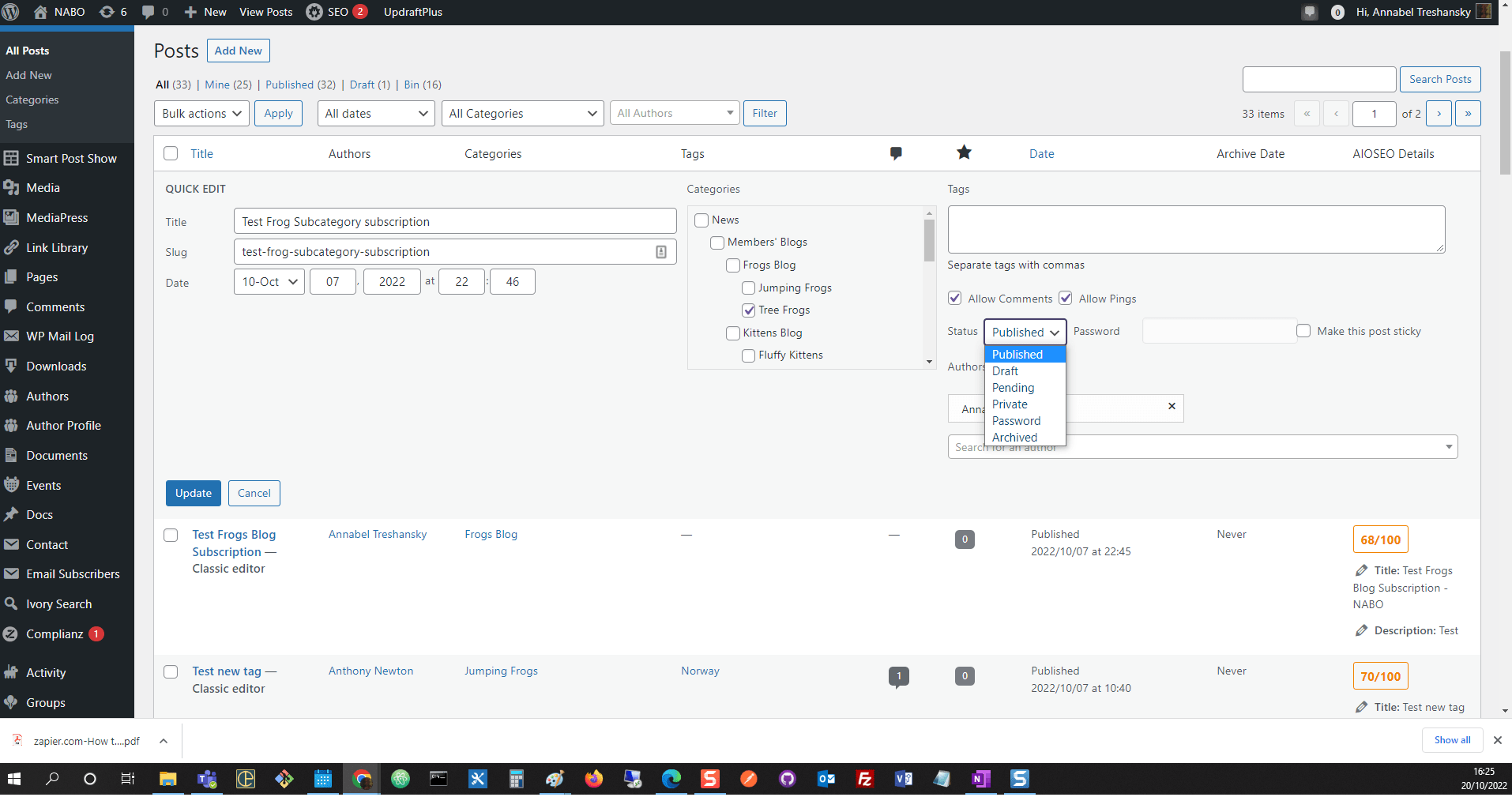
Screenshot: Archiving a post using Quick Edit - Within the classic editor, you can set the post status from a drop down list in the ‘Publishing’ box:
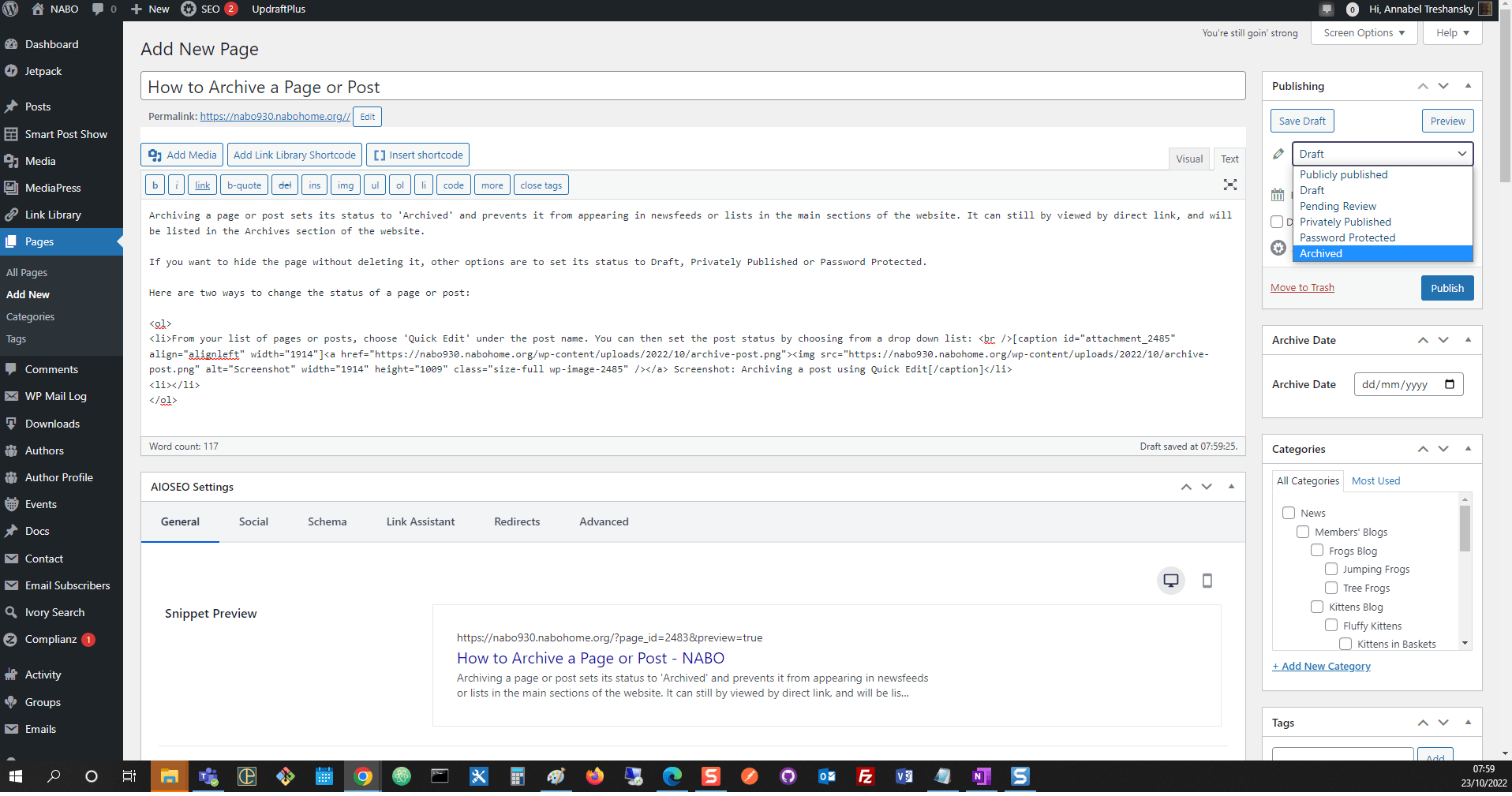
Setting the post status in the classic editor - In the block editor, you can change the status of the post from a drop down list under ‘Status’ on the right hand side:
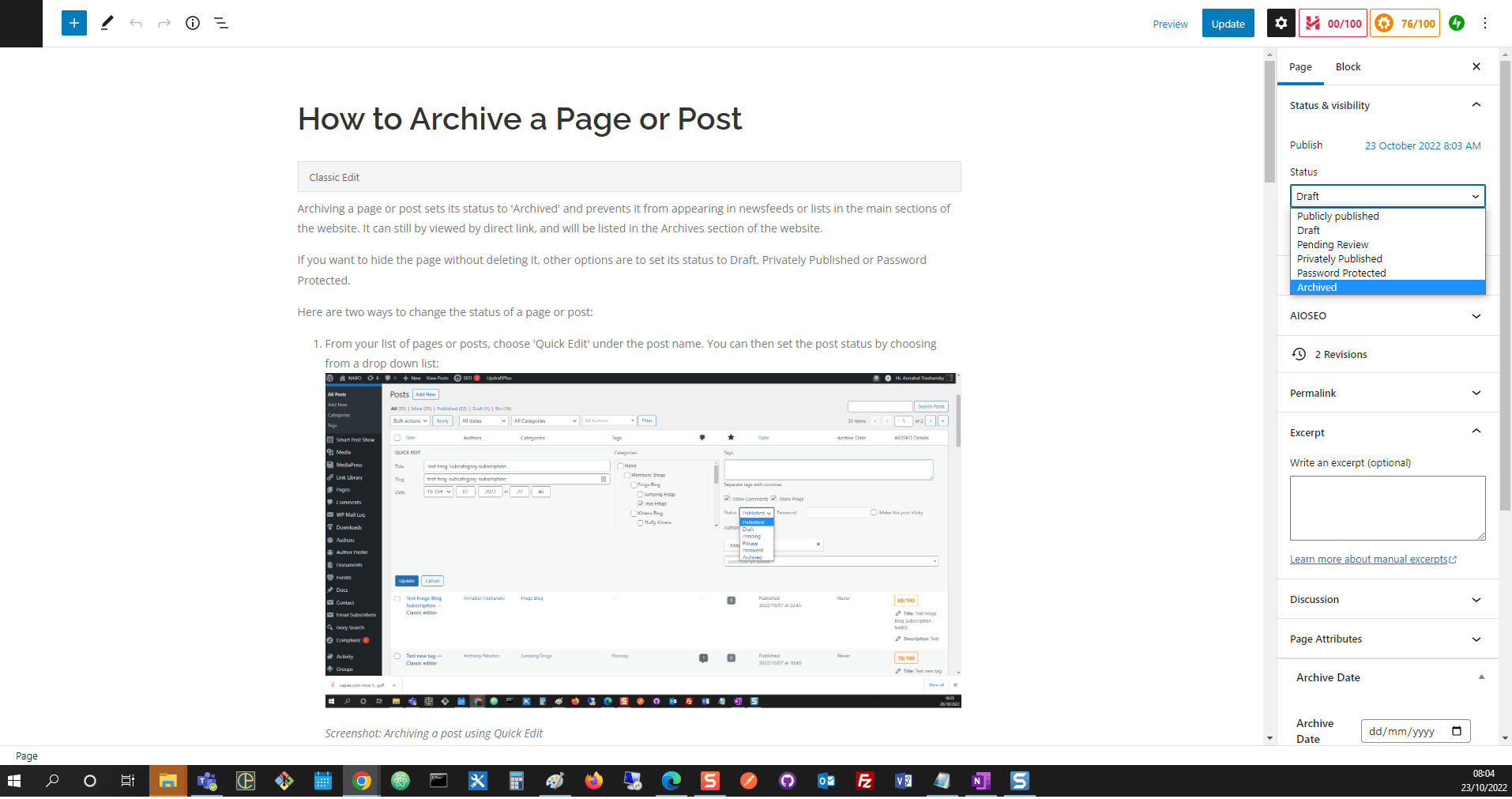
Screenshot: Changing the post status in the block editor
Image Credits:
- library-995182_1920: svklimkin | Pixabay Content License
